

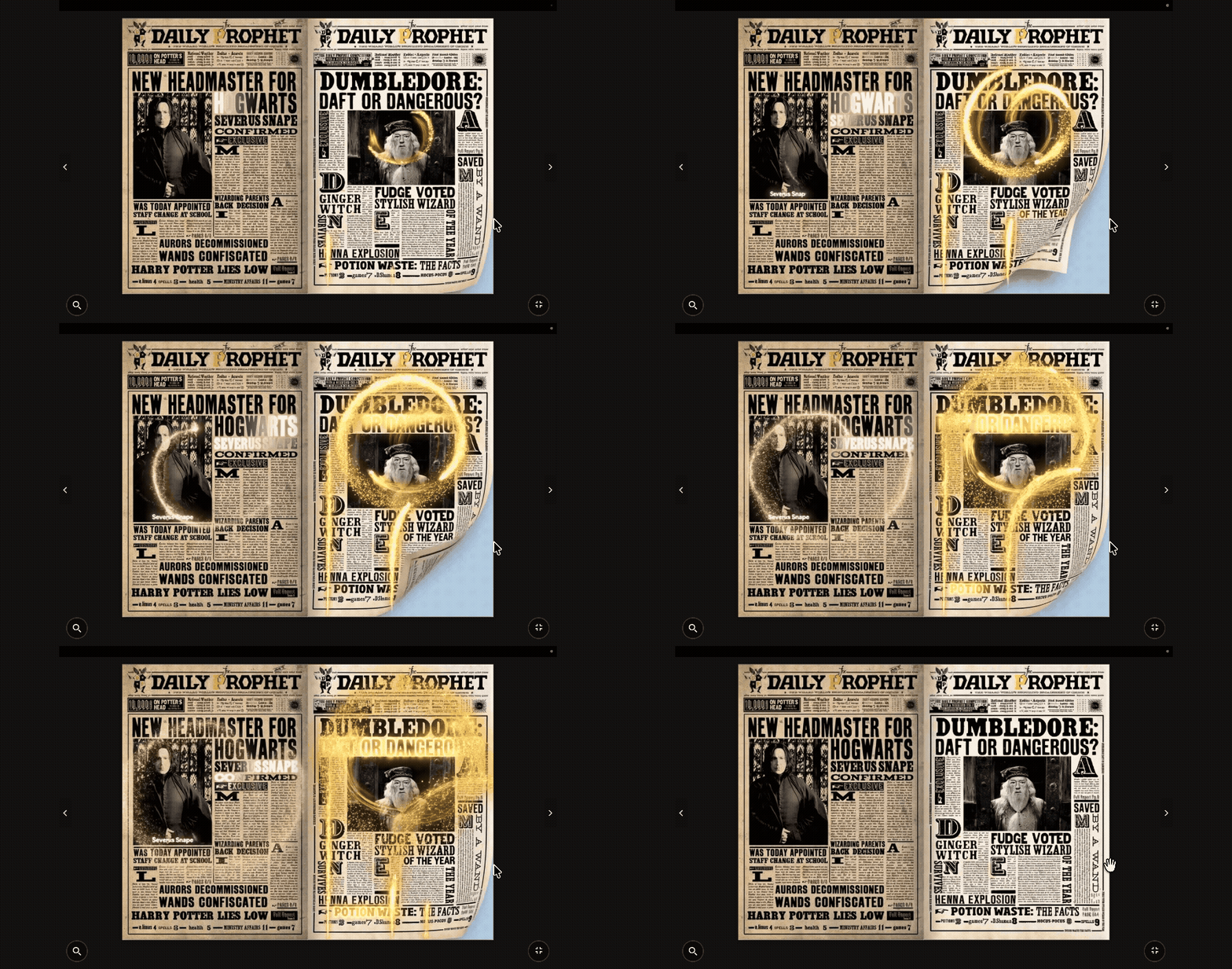
Remember the Daily Prophet in Harry Potter? The newspapers where the pictures on the page actually move and loop while you read the text around them?
For years, that was just movie magic. If you wanted to share photos online, you sent a static gallery. If you wanted motion, you sent a heavy video file.
But what if you could combine them? What if you could send someone a beautiful, page-turning digital photo album, and as they flip the pages, your photos come to life?
Today, we are going to show you how to build your own magical photobook using nothing but your iPhone and Fflipp. It takes less than 5 minutes, and it’s completely free.
The Secret Ingredient: iPhone Live Photos 📸
Every time you take a picture on a modern iPhone, it captures 1.5 seconds of video before and after you hit the shutter. This is a Live Photo.
Usually, these only move when you hard-press your screen. But we can unlock them to loop infinitely on a web page.
Step 1: Turn your Live Photo into a GIF
Before uploading to Fflipp, we need to convert your Apple Live Photo into a web-friendly format. Don't worry, you don't need to download any sketchy apps.
- We built a totally free, private web tool for this: The Live Photo Converter.
- Open that link on your iPhone Safari browser.
- Tap "Select Live Photo" and choose your favorite moving memory from your camera roll.
- Tap "Convert" and save the resulting GIF to your phone!
Step 2: Build Your Magical Photobook
Now that you have your moving images, let’s build the book.
- Log into your free Fflipp account and click + Add New Flipbook.
- Select Create from Images.
- Upload the GIFs you just saved (you can upload up to 20 at a time!). Fflipp will automatically generate the pages.
✨ Make it Immersive: Photobook Mode
In your flipbook settings, look for "Page Dimensions & Display Style." Check the box for Photobook Display Style. This removes the harsh borders and creates a cinematic, edge-to-edge viewing experience perfectly suited for photos.
Step 3: Add Text Overlays (The Daily Prophet Effect)
This is where it gets really fun. Having moving pictures is great, but adding context makes it a true album.
In the Fflipp Advanced Editor, go to the Text Editor tab. You can drag and drop beautiful typography directly on top of your moving GIFs!
- Add dates and locations (e.g., "Tokyo, 2025").
- Change the font to something elegant like Playfair Display.
- Add a semi-transparent background box behind the text so it's readable over the moving video.
Share the Magic
When you are done, you don't have to worry about file sizes. You just share your short Fflipp link.
When your friends or family open it on their phones or computers, they won't see a boring grid of photos. They will open a digital book, turn the cover, and watch your memories play on a loop, perfectly framed by your custom text.
It is the most immersive way to share a vacation, a tour, or a portfolio.




Comments & Questions
Log in to join the conversation.