

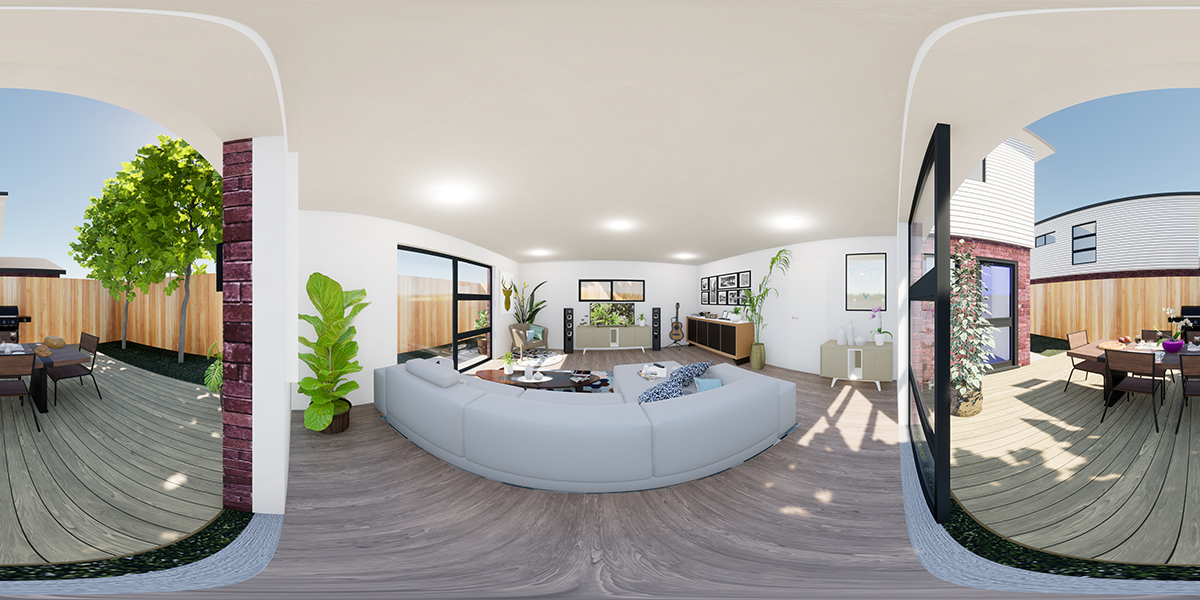
Go Beyond Flat Images: Welcome to the World of 360° Flipbooks
What if your readers could not just see a picture, but step inside it? What if your real estate brochure allowed clients to virtually tour a property from within its pages? What if your travel album let friends and family explore a panoramic landscape as if they were standing there with you?
With Fflipp, this isn't science fiction. It's a powerful feature that sets your content apart from any standard document. By embedding interactive 360° images and tours, you can create a truly immersive and unforgettable experience for your audience.
This ultimate guide will show you how to embed virtually any type of 360° content into your Fflipp flipbooks.
Why 360° Content is a Game-Changer for Your Flipbooks
Adding a 360° hotspot is more than just a cool trick. It's a strategic tool that provides real benefits:
- Sky-High Engagement: Interactive content like a 360° tour stops readers in their tracks. It encourages them to play, explore, and spend significantly more time engaging with your document.
- Unmatched Context: A 360° view provides a sense of space and place that a flat photo never can. It’s the difference between showing a picture of a room and letting someone stand in the middle of it.
- The "Wow" Factor: It's a premium, high-tech feature that makes your work look incredibly professional and innovative, helping you stand out from competitors.
How to Add Any 360° View to Your Flipbook
The process is incredibly simple and works with a variety of popular 360° content sources. The key is to get the correct "embed" or "share" link.
Method 1: Hosting Your Own 360° Images with Fflipp (Easiest & Most Professional)
For the most seamless and ad-free experience, we've built our own integrated 360° image hosting system. This is the recommended method for your personal panoramic photos.
- First, go to your 360° Image Library in your Fflipp dashboard.
- Upload your equirectangular JPG image.
- Once uploaded, simply click the "Copy" button to get your unique Fflipp Embed Link.
- In the Flipbook Advanced Editor, add a new "Media Hotspot," select "360 Tour" as the type, and paste this link. That's it!
Method 2: Embedding a Google Maps Street View or Photo Sphere
This is perfect for showcasing a business location, a landmark, or a travel destination.
- Go to Google Maps and find the location or 360° Photo Sphere you want to share.
- Click the "Share" button.
- Go to the "Embed a map" tab.
- Copy the HTML code it gives you (it starts with `<iframe src="..."`).
- In the Fflipp editor, add a "Media Hotspot," select "360 Tour," and paste the **entire iframe code** into the URL box. Fflipp is smart enough to extract the correct link for you.
Method 3: Embedding a Matterport or Other 360° Virtual Tour
Matterport is the industry standard for professional real estate and architectural virtual tours. Embedding them is easy.
- In your Matterport tour, find the "Share" button.
- Make sure the tour is set to "Public" or "Unlisted," not "Private."
- Copy the share link (it usually looks like `https://my.matterport.com/show/?m=...`).
- In the Fflipp editor, add a "Media Hotspot," select "360 Tour," and paste this link.
Pro Tip: The "360 Tour" hotspot type is incredibly flexible. It works by embedding content in an iframe, which means it can support a huge variety of other 360° hosting services as well! If your service provides a public share link (such as NZ360.net), there's a great chance it will work seamlessly in Fflipp.
Unlock a New Dimension of Storytelling
Embedding 360° content elevates your flipbook from a simple document to an interactive world. It's a powerful, professional feature that gives you a true competitive edge.
The ability to add interactive hotspots, including 360° tours, is available on our Pro and Business plans. Upgrade today and start building flipbooks that your audience won't just read—they'll explore.




Comments & Questions
Log in to join the conversation.